Guides
How to schedule a Shopify section for Black Friday
Schedule a Shopify section for Black Friday: Theme Editor setup, campaign start/end times, timezone checks and what happens after the sale ends.
Read the practical guide →

Native Shopify sections & blocks
Show relevant native theme content for your customers, storefront context and campaign windows. Configure display rules and schedules in Shopify’s Theme Editor for supported sections and blocks.
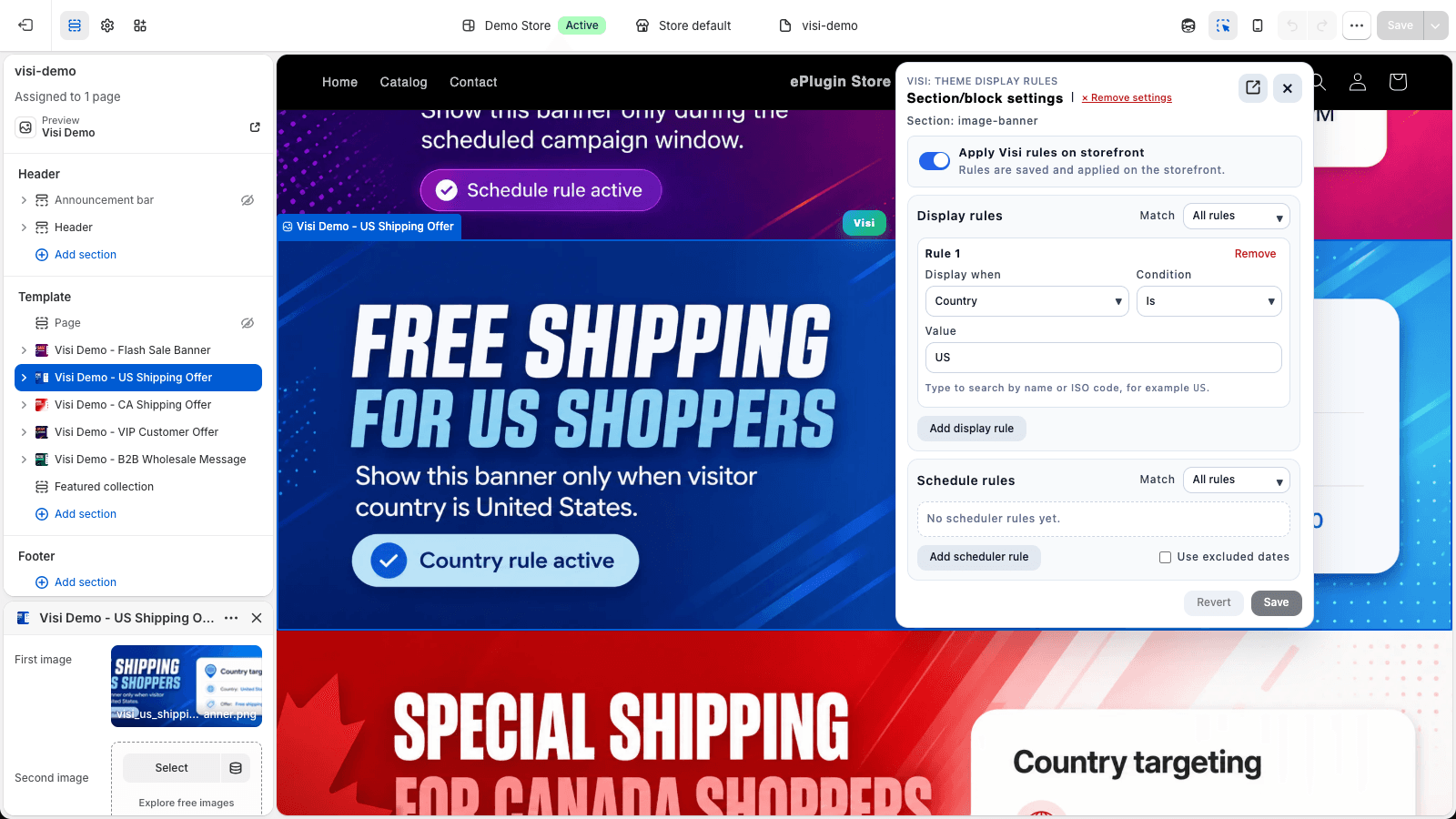
Repeated campaign edits, generic banners and shared product templates can slow down everyday merchandising. Visi adds conditional visibility and schedules to the storefront pieces you already have.
Set start/end windows for supported content instead of depending on a manual switch at launch.
Choose relevant customer, localization, page or cart conditions without rebuilding the whole page.
Select existing sections and blocks in Shopify Theme Editor. Check compatibility before going live.
Enable Visi Widgets in your intended theme, then select a supported section or block in Theme Editor.
Add display rules, schedule rules, or both. Review the required plan and the rule matching mode.
Save rules, preview both states and verify the live storefront. Publish the theme separately if needed.
Holiday, Christmas and back-to-school storefront banners.
Timed campaign sections, sale banners and post-sale visibility.
Short promotion windows and limited-time offer messages.
Automatically show and hide existing sections at campaign boundaries.
B2B buyers, company locations and wholesale-tag messaging.
Shopify Markets, country, language and currency conditions.
VIP banners, loyalty announcements and member messages.
Cart value, item count, products, variants and discount-aware messaging.
Selected products, product tags, types, vendors and metafields.
Collection-specific banners and contextual promotional sections.
Guest-only sign-in reminders and account announcements.
Welcome messages for first visits and repeat browsing.
Homepage, page type, URL path and campaign parameters.
Daily, weekly, monthly schedules and excluded dates.
Use one-time windows for launches. On Starter and above, repeat daily, weekly or monthly and pause scheduled content on excluded or store-wide blackout dates. Confirm timezone, all/any matching and campaign end behavior.
Explore scheduled campaigns →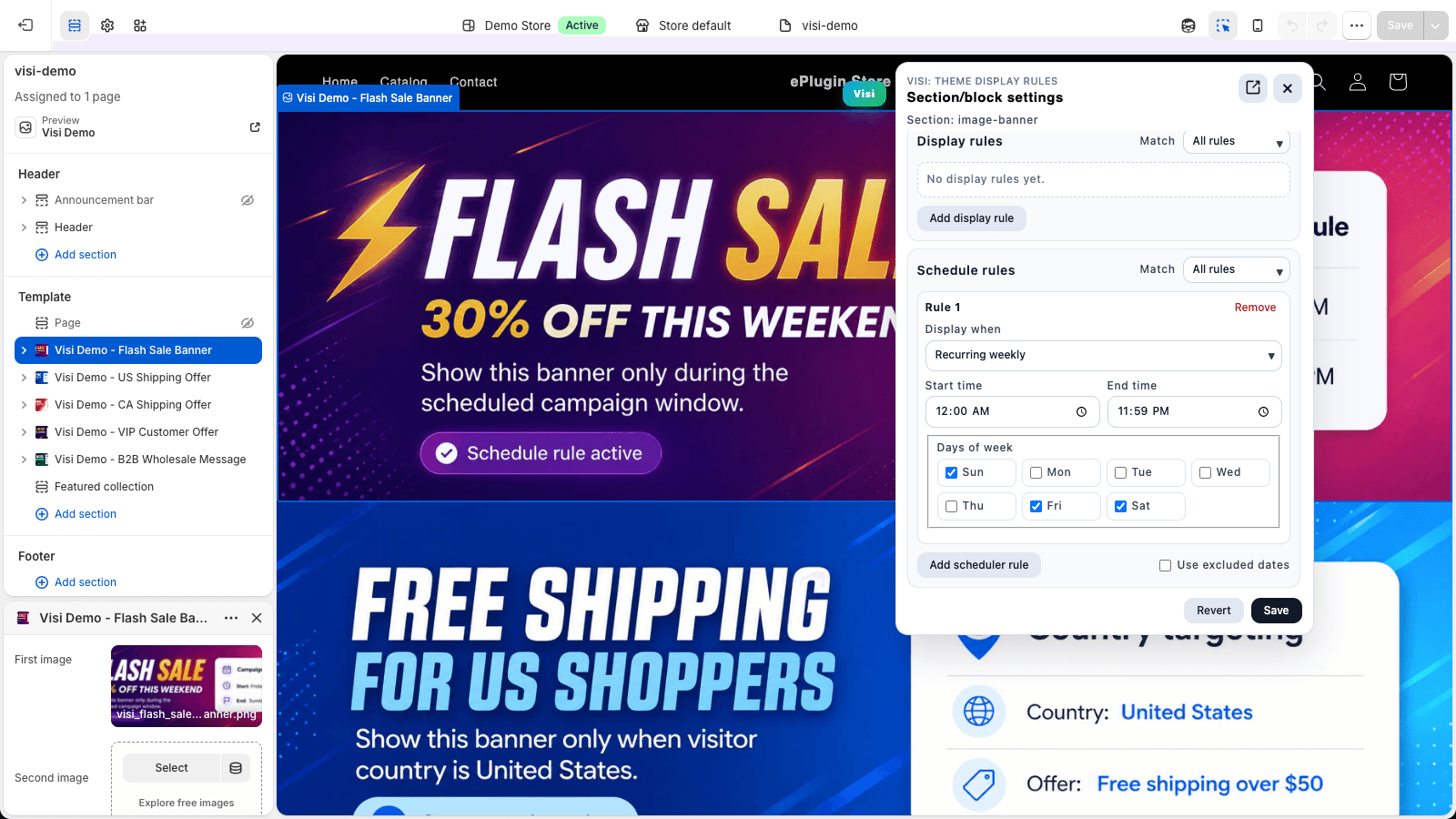
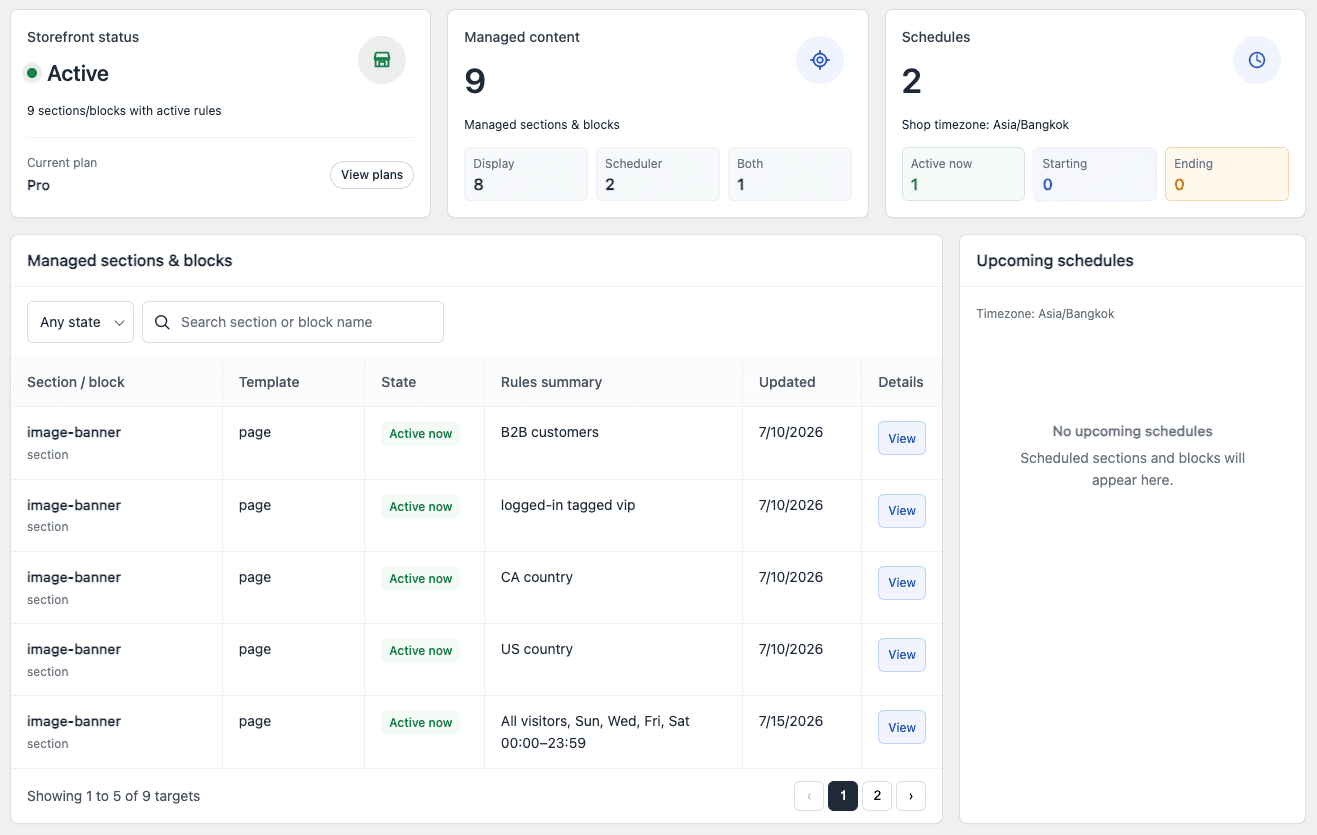
Use the dashboard to review managed content, schedules, recent activity and reported storefront issues. Pro adds rule-history restore. For theme-specific questions, contact our support team.
Contact Visi support →Read current merchant reviews on the Shopify App Store. View reviews
Guides
Schedule a Shopify section for Black Friday: Theme Editor setup, campaign start/end times, timezone checks and what happens after the sale ends.
Read the practical guide →Guides
Hide or show Shopify theme sections and blocks using theme controls, Liquid or display rules. Compare page, customer and time-based conditions.
Read the practical guide →Guides
Repeat Shopify section schedules daily, weekly or monthly. Configure weekend offers, business-hour content, excluded dates and blackout exceptions.
Read the practical guide →Visi controls the visibility of supported existing Shopify theme sections and blocks using display rules, schedules, or both. It does not build page layouts or generate content.
Rules are configured in the Theme Editor without manual code edits for supported content. Some repeated native blocks need a block-ID marker in their theme markup for reliable identification. Check the selected block before launching.
Install Visi, enable the Visi Widgets app embed in your theme, select a supported section or block in the Theme Editor, add rules and save. Preview the storefront and publish the theme separately if it is not live.
One-time date/time windows are available on Free. Daily, weekly and monthly schedules, per-content excluded dates and store-wide blackout dates require Starter or above. Check the store timezone before setting the window.
Content with a single active schedule stops qualifying after its end time and is hidden by Visi while its rules remain enabled. Other schedule rules and all/any matching can change the result. This hides content; it does not delete the section or end a Shopify discount.
Login state, customer tags and Shopify localization conditions are available on Free. Customer metafields require Growth; B2B customer, company and company-location rules require Pro and relevant Shopify customer context.
Compatibility depends on the theme’s section and block markup. Visi checks whether selected content can be located on the storefront. App blocks depend on the owning app’s markup, so universal compatibility is not guaranteed.
No. Visi shows and hides storefront elements, including through browser runtime. Do not use it to protect confidential pricing, private data or restricted products; use appropriate Shopify access controls.
Show the right message to the right audience and schedule your next Shopify campaign.